How SMS Opt-In Consent Works
Firavex ensures every SMS opt-in is backed by a real, agent-confirmed verbal conversation. Here's a step-by-step walkthrough of how consent is collected, confirmed, and recorded.
Agent Connects with Contact
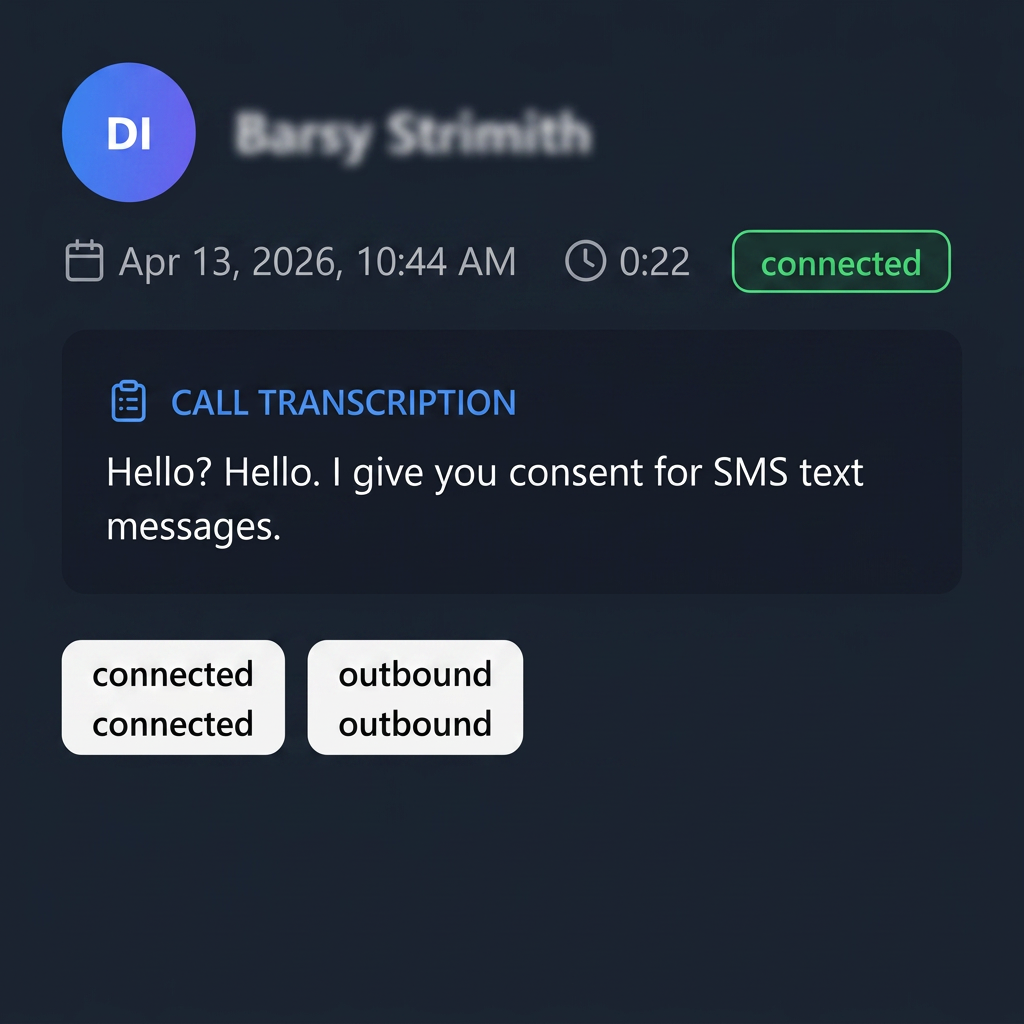
During a live outbound call, the agent connects with a contact and discusses the opportunity. The call is logged in real time with a full transcription, call duration, and outcome tags.
"Consent begins with a real, verbal conversation — not a pre-checked box."
Agent Selects "Meeting Booked" Disposition
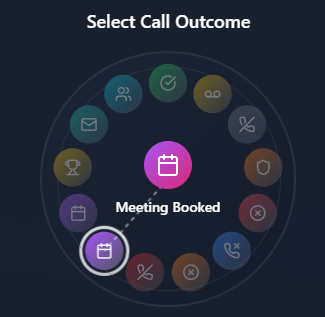
After a successful call, the agent selects the "Meeting Booked" disposition from the call outcome wheel. This triggers the meeting scheduling flow and the SMS opt-in confirmation step.
"SMS consent is only prompted when a positive outcome (Meeting Booked) is selected."
Agent Confirms Verbal SMS Opt-In
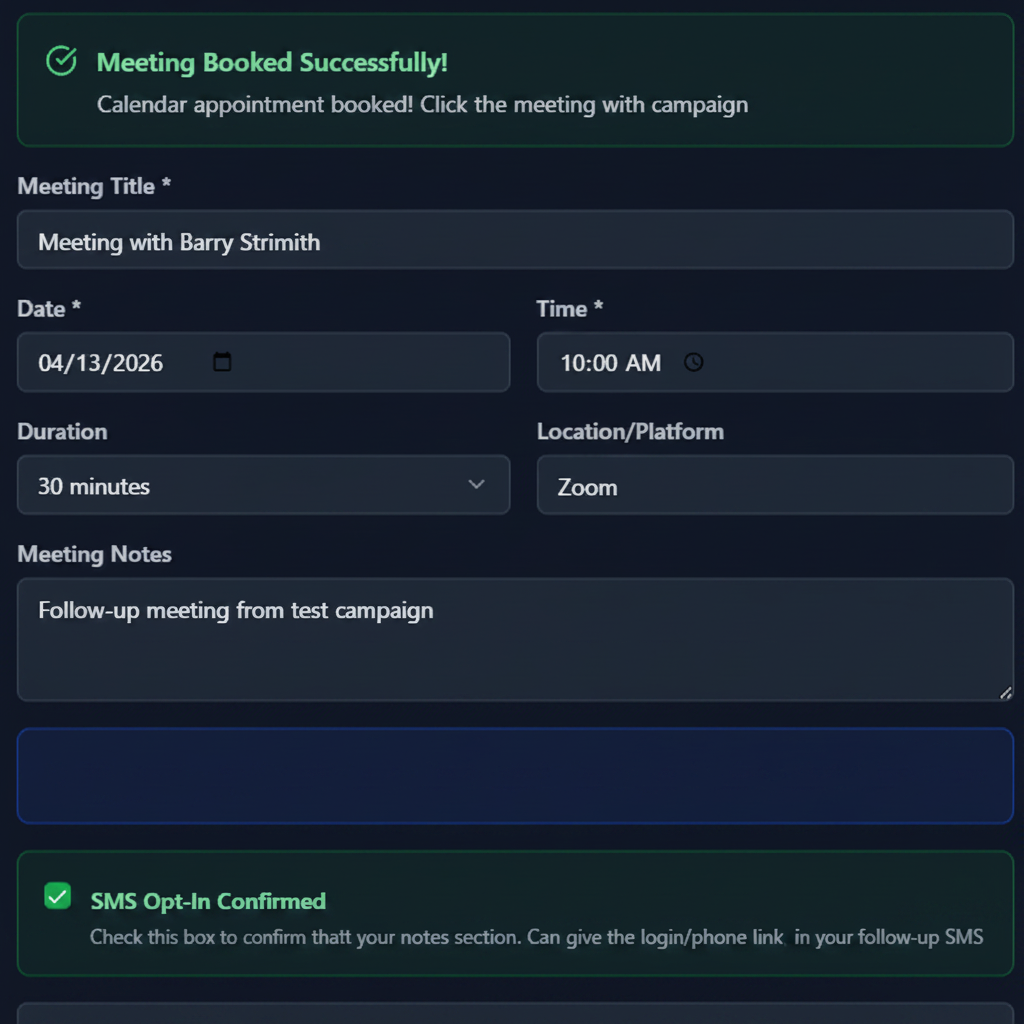
The agent must explicitly check the "SMS Opt-In Confirmed" checkbox to confirm the contact verbally agreed to receive SMS messages. This checkbox is unchecked by default and requires a deliberate action.
""Check this box to confirm that [Contact] has given verbal permission to receive SMS messages.""
A Second Layer of Consent
After verbal confirmation is recorded by the agent, Firavex sends an automated double opt-in SMS to the contact. Messaging is fully paused until the contact replies to confirm.
Confirmation SMS Sent
An automated double opt-in message is sent to the contact immediately after the agent records verbal consent:
Messaging Paused Pending Reply
The contact is placed in a "Double Opt-In Pending" state. No further outbound SMS messages can be sent until they respond.
YES = Confirmed / NO = Opted Out
A reply of YES confirms consent and unlocks messaging. A reply of NO (or any opt-out keyword like STOP/QUIT) permanently blocks all outbound SMS to that contact.
No Free-Text. Only Pre-Approved Messages.
To prevent off-script or non-compliant messaging, agents cannot type free-form SMS messages. All outbound messages must come from admin-approved templates.
Admin-Controlled Templates
Admins define all approved message templates with fixed body text. Agents select from this pre-approved library — they cannot modify the message body.
Agent Fills Allowed Variables Only
Agents may only supply permitted placeholders like {{date}} and {{time}}. The contact's first name is auto-populated — no manual edits to message content are possible.
Live Message Preview
Before sending, agents see a fully rendered preview of the message with all placeholders resolved, so the exact text is visible and confirmed before delivery.
Opt-Out Keyword Detection
Inbound replies are scanned for opt-out keywords (STOP, QUIT, UNSUBSCRIBE, etc.). Any match immediately blocks all future outbound SMS to that contact.
Compliance Safeguards
Built-in protections ensuring every SMS opt-in meets regulatory standards.
Verbal Consent Required
Opt-in is only recorded when an agent actively confirms verbal permission was obtained during a live call.
No Pre-Checked Boxes
The SMS opt-in checkbox is always unchecked by default. Consent must be an intentional, affirmative action.
Timestamped & Auditable
Every opt-in is tied to a specific interaction record with a timestamp, agent ID, and call transcription for full auditability.
Clear Purpose Disclosure
Contacts are informed they are opting in to receive SMS messages before consent is recorded.
This page documents how Firavex collects and records SMS opt-in consent from end contacts on behalf of our customers. For questions about our compliance practices, contact compliance@firavex.com.
Back to Home